Snagging lives and dies on the photo. A defect nobody can see in the picture is a defect that gets argued over on site. SnagDesk is built so the photo and the markup happen in one place, at the moment you spot the problem, so the record is clear before you have moved on to the next room.
Shoot the defect where you're standing
Open a snag, tap the camera, and take the photo without leaving the app. There's no jumping to the iPhone camera and back, and no hunting through hundreds of shots later to work out which cracked tile belonged to which plot. The photo attaches straight to the snag you're logging.
You can add more than one photo to a single snag when it helps. A wide shot shows the room and gives the defect context, and a close-up shows the detail. Both sit together under the same entry.
Mark up the photo so there's no argument
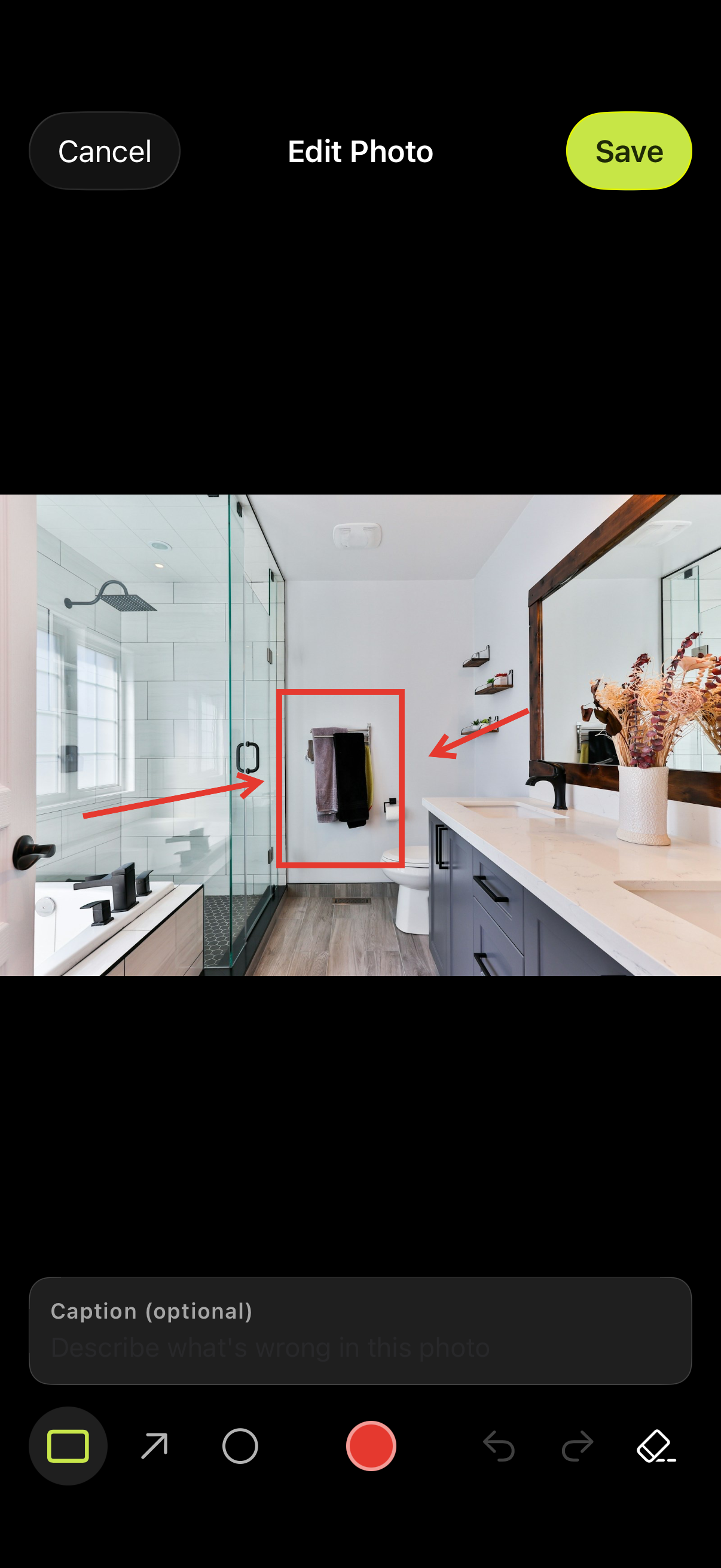
Once the photo is in, draw straight on it. Box the area, circle the exact spot, or drop an arrow pointing at the problem. The markup is the difference between "there's a mark on the wall somewhere" and "here is the 20mm gap in the bath seal, on the cold side". When the report lands with the client, the defect is obvious, and there's far less back and forth about what you actually meant.
Markup is quick on purpose. You're standing in a half-finished room holding a phone in one hand, so the tools are big enough to use with a thumb and forgiving enough that you don't have to be neat.
Every photo lands in the right snag
Because you capture inside the snag, nothing gets orphaned. Each photo carries its title, its location and its notes with it, so when you generate the report every image sits next to the defect it belongs to. No renaming files, no dragging photos into a spreadsheet at nine in the evening.
It all works with no signal
New builds and bare shells rarely have a usable connection. Capture and markup happen entirely on your iPhone, so a basement with no bars is no different to a show home with full wifi. Nothing needs to upload before you can carry on.