Snag it, mark it up, send the report before you leave site.
SnagDesk is the snagging app built for UK builders, contractors and inspectors. Everything stays on your iPhone, and it works with no signal on site.
Snagging doesn't end when the walk does
The defects are the easy part. It's everything after that eats your evening.
Photos lost in the camera roll
Shots of every defect end up buried between family photos and WhatsApp forwards, with nothing tying them to a room.
The 9pm retype
You get home and copy the whole snag list into a spreadsheet by hand, hoping you can still read your own notes.
Reports that arrive late
The client waits three days for a write-up, and by then two of the snags have already been argued over on site.
From site walk to sent report
Three steps, all on your phone, all before you get back to the van.
Set up the project
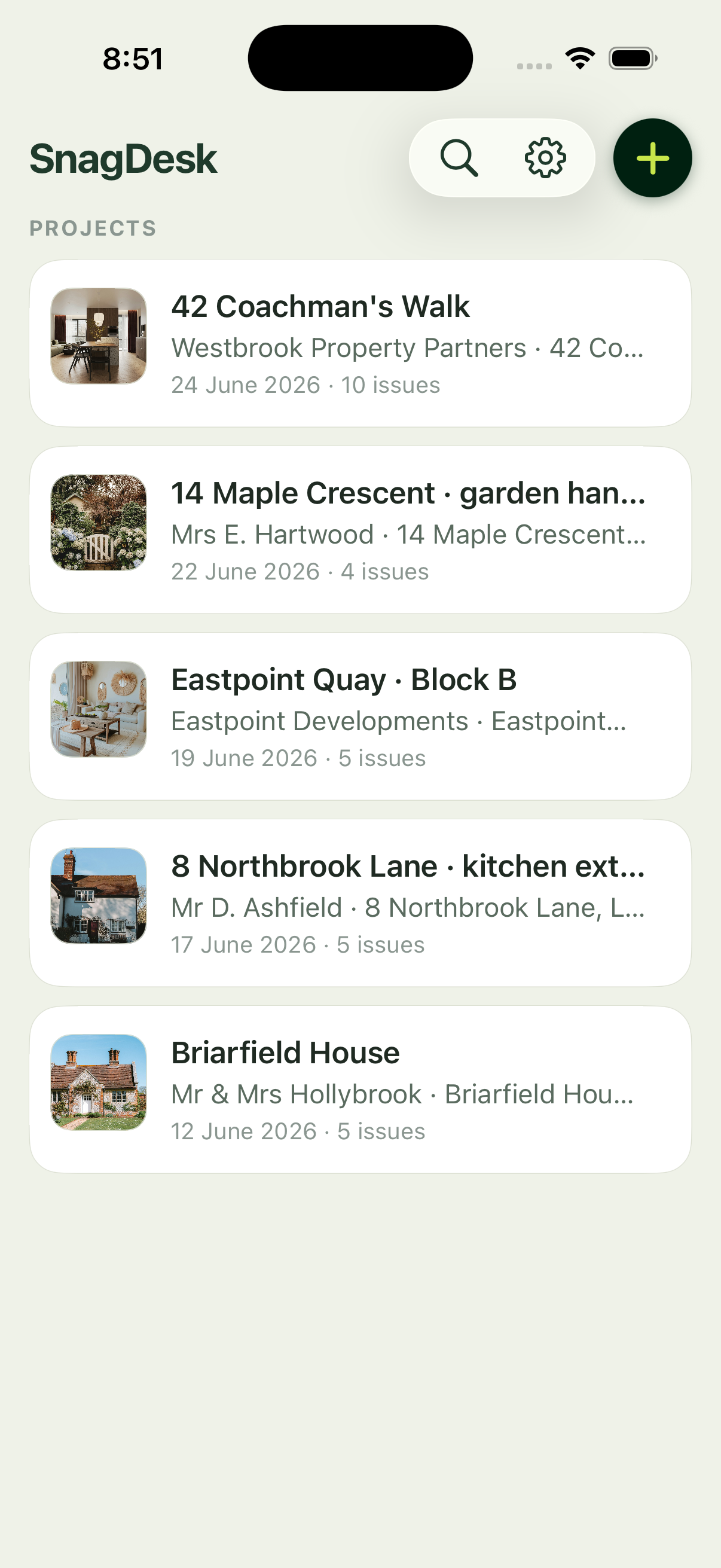
Add the client, the site address and the inspection date. Everything you log lands under the right job.
Capture and mark up each snag
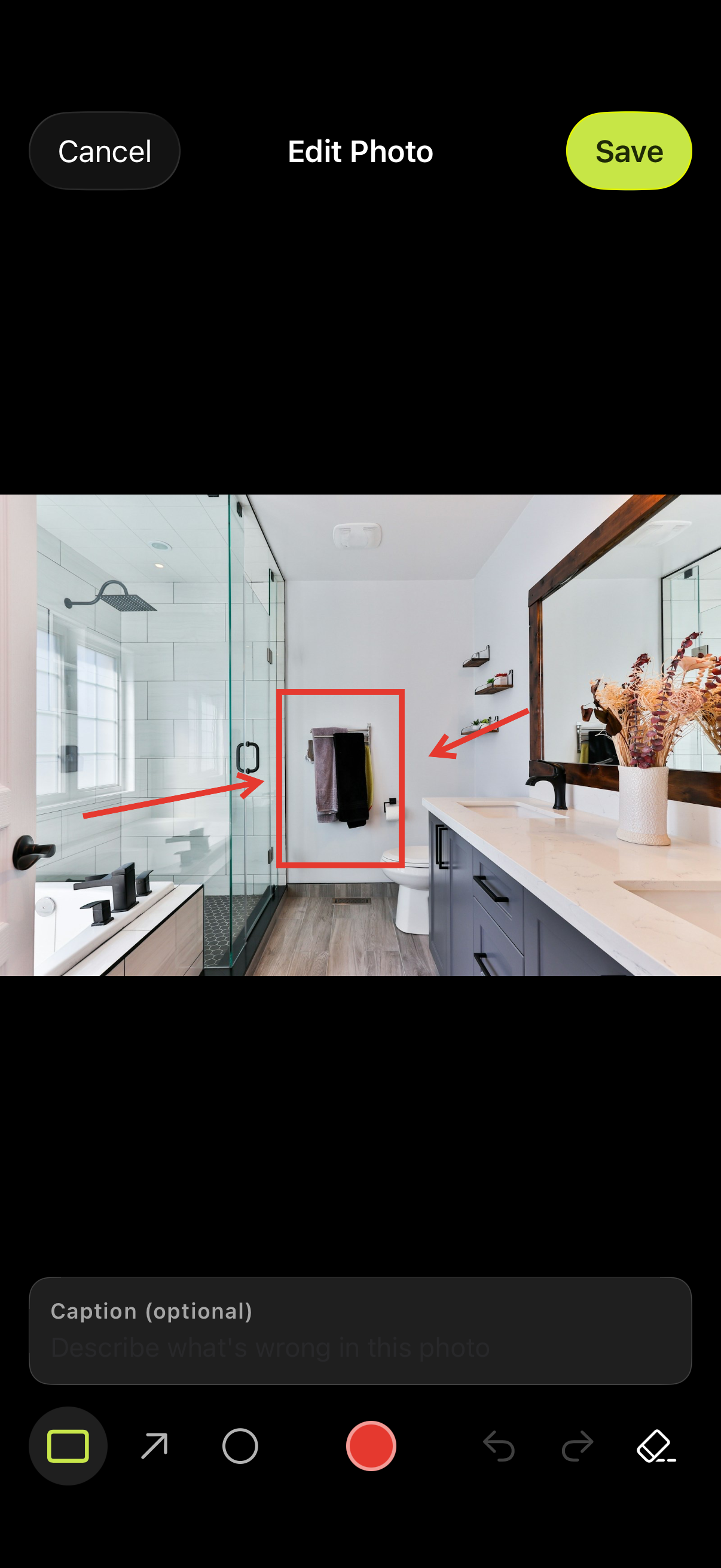
Photograph the defect, draw straight on the image, and add a location and a note. It all saves on the spot.
Generate the report
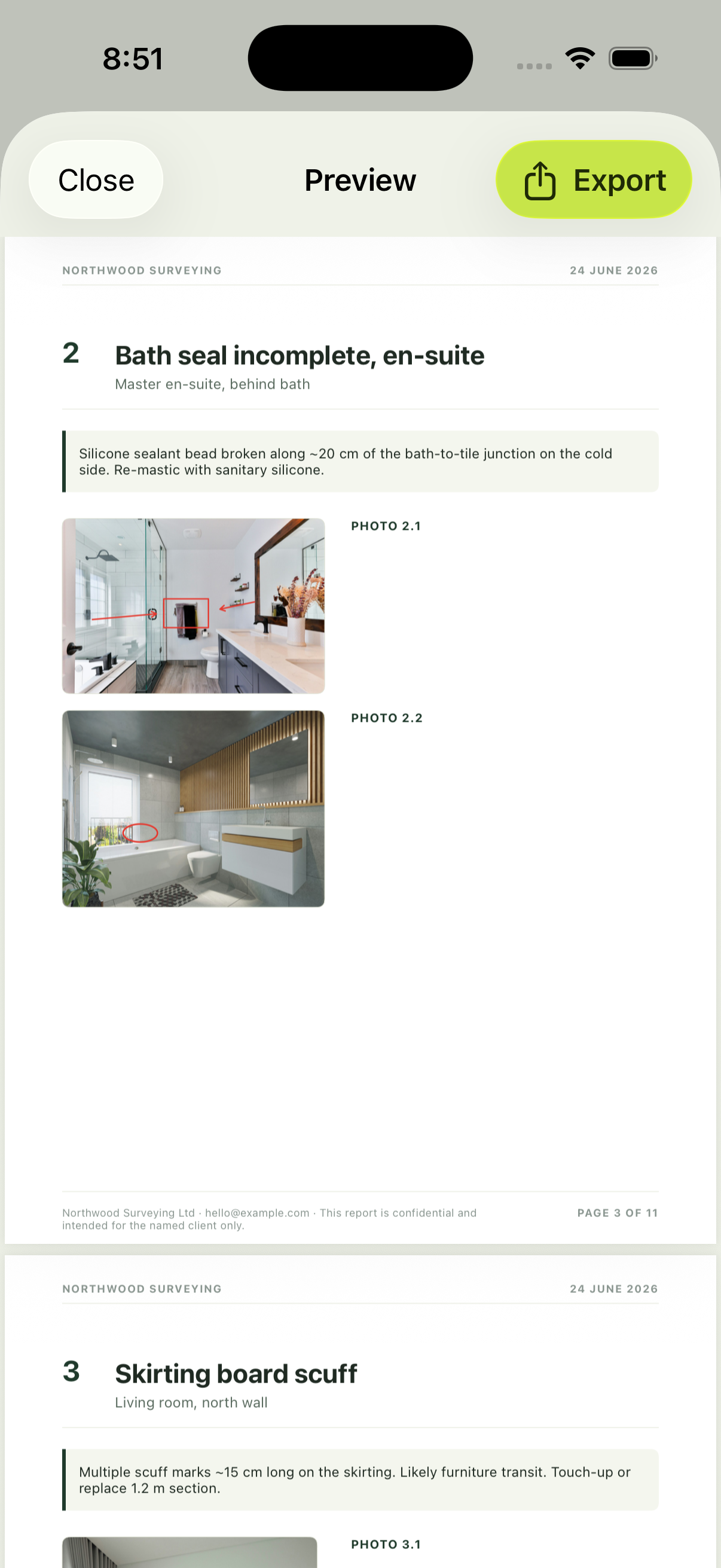
One tap turns the list into a branded, multi-page PDF, ready to email before you have left the building.
The report your client actually opens
A clean, branded PDF with your company name, your logo, and a photo of every snag in its location.
Generated on your iPhone in seconds, ready to email straight from the app.
Everything the walk needs. Nothing it doesn't.
Built for one job: getting an accurate, photographed snag list off site as a finished report.
Photo capture & markup
Shoot the defect and draw straight on the photo. Box it, circle it, or arrow to it.
Branded PDF reports
Your company name, logo, prepared-by signature and footer on every page.
Works offline
No account, no signal needed. Everything is stored on your iPhone.
Projects, plots & locations
Group snags by job and location, so nothing gets logged against the wrong room.
Notes on every snag
Add a title, a location and a description to each defect while the detail is still fresh.
Your data stays yours
No cloud sync and no tracking. Your reports never leave the phone unless you send them.
Made for the people who walk sites
Contractors
Close out defects fast and hand over with a clean record.
Builders
Log snags room by room without stopping the job.
Snagging inspectors
Produce a professional, branded report on every visit.
Site managers
Keep an accurate defect list across every plot on site.
Better than the old way
How a walk logged in SnagDesk compares with the two tools it replaces.
| Pen & paper | Spreadsheet | SnagDesk | |
|---|---|---|---|
| Photos linked to each snag | No | Manual | Yes |
| Markup on the photo | No | No | Yes |
| Report ready on site | No | Later, at a desk | In under a minute |
| Consistent format every time | Depends on handwriting | If the template survives | Every report |
| Works with no signal | Yes | Sometimes | Yes |
| Cost | Cheap, slow | Free-ish, fiddly | Free during launch |
Simple pricing
No account to create, no card to enter. Download it and start your next walk.
Questions, answered
Does SnagDesk work offline?
Yes. There is no account and no sign-in. Everything is stored on your iPhone, so it works with no signal on site and syncs nowhere.
Is it iOS only?
Yes, SnagDesk is built for iPhone and needs iOS 26 or later. An iPad and Android version are not available yet.
Where is my data stored?
On your iPhone, in the app's local storage. It is included in your iCloud device backup if you have that switched on in iOS Settings. We never see it.
Can I brand the reports?
Yes. Your company name, logo, prepared-by signature and footer text are all editable in Settings and appear on every report.
Can I export to Excel?
Reports export as a PDF, which is what clients expect for a snag report. A spreadsheet export is not available yet.
How much does it cost?
SnagDesk is free during launch. It is a one-time purchase with no subscription, and we will confirm the price before that changes.
Which devices are supported?
iPhone running iOS 26 or later.